Thank you to everyone for playing along!
Wednesday, May 14, 2014
NSD American Crafts Blog Hop *WINNER ANNOUNCED*
Happy Wednesday! I'm just dropping in today to announce the winner for the American Crafts National Scrapbook Day Blog Hop *WINNER* I'm so excited to tell Linsey that she is the winner of the $20 Gift Certificate to the Paper Issues store. Congrats Linsey! Please email me using the Contact Me button to the right with the subject line "NSD Blog Hop Winner"
Thank you to everyone for playing along!
share: facebook | twitter | pinterest
Labels:
#NSD2014,
American Crafts,
gift certificates,
Paper Issues,
winner
Tuesday, May 13, 2014
Let's Talk Tuesday: Journaling on a photo?
Have you ever journaled on your photo? Until recently, I hadn't either. After creating this layout I fell in love with this technique!
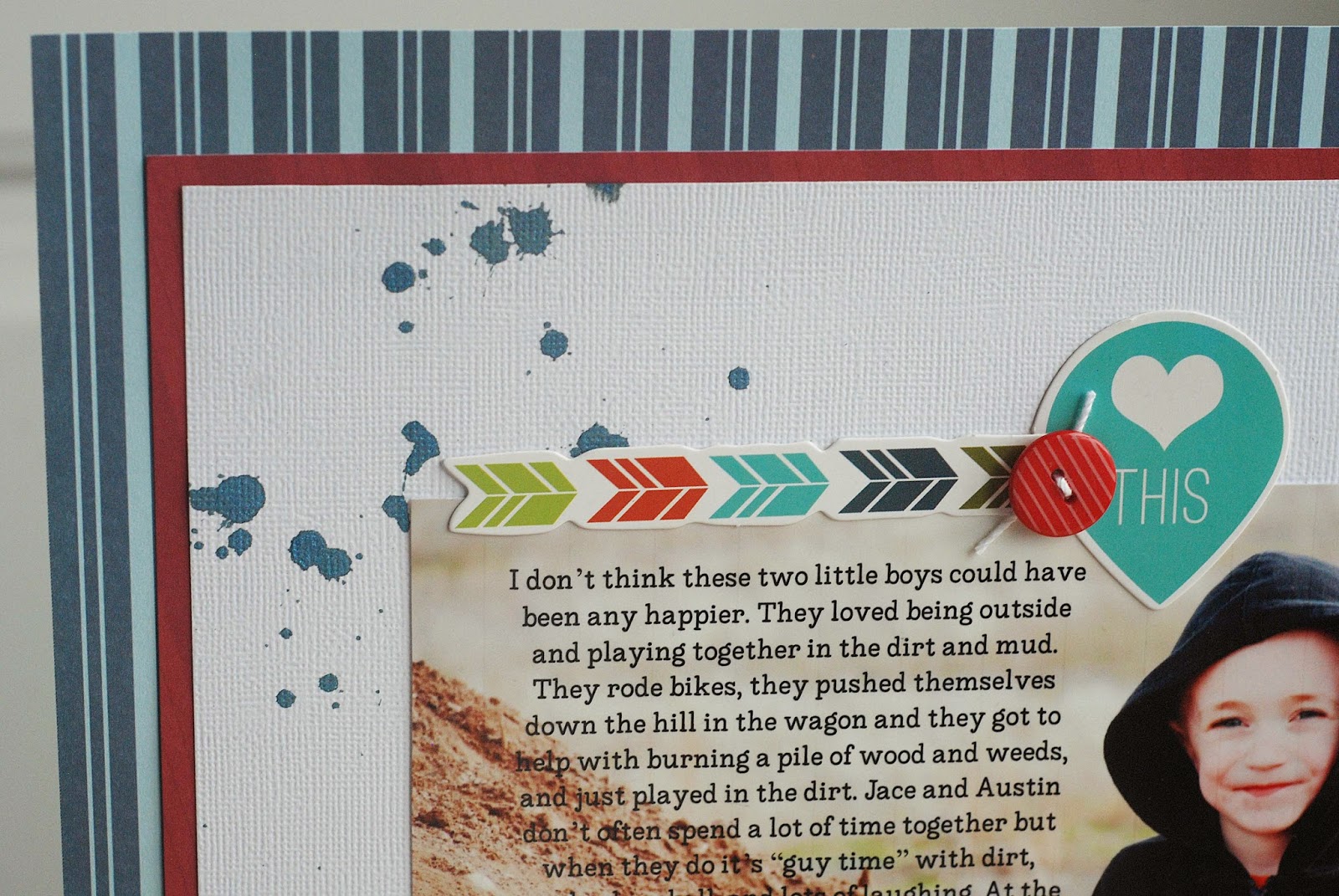
My husband took this photo of my little man. I was at a meeting while the boys were out playing in the dirt. I immediately fell in love with the photo. When I started working with this photo I really wanted to add my journaling right on the photo.
There are a few ways to do this:
On this layout I printed the journaling at the same time I printed the photo by adding the text in Photoshop
I used the Imaginisce Perfect Vacation line for this project. I don't have a ton of travel photos but I do have lots of little boy photos. The colors and patterns in this line are perfect for little boys too!
Have you ever written or printed your journaling directly on the photo? I'd love to see your project. Leave a link in the comments.
Thanks for stopping by today!

My husband took this photo of my little man. I was at a meeting while the boys were out playing in the dirt. I immediately fell in love with the photo. When I started working with this photo I really wanted to add my journaling right on the photo.
There are a few ways to do this:
- You can add the text in most photo editing programs by typing in a text box on the photo (I use Photoshop Elements.)
- You can print on the photo just as you would print on a journaling card by printing the journaling on a plain sheet of paper and then adhering the photo to the paper on top of the journaling and then run it through your printer again.
- If you love the look of journaling on the photo you can print your journaling on a transparency and then lay the transparency over the photo.
On this layout I printed the journaling at the same time I printed the photo by adding the text in Photoshop
I used the Imaginisce Perfect Vacation line for this project. I don't have a ton of travel photos but I do have lots of little boy photos. The colors and patterns in this line are perfect for little boys too!
Have you ever written or printed your journaling directly on the photo? I'd love to see your project. Leave a link in the comments.
Thanks for stopping by today!
Subscribe to:
Posts (Atom)


